OpenClaw Now Scans Skills for You. Here's Why You Should Still Install Heimdall.
OpenClaw Now Scans Skills for You. Here’s Why You Should Still Install Heimdall.
OpenClaw just announced a partnership with VirusTotal to bring security scanning to ClawdHub. Every skill published to the marketplace now gets auto-scanned. VirusTotal’s Code Insight (powered by Gemini) analyzes the entire skill package - not just checking file hashes, but actually reading the code from a security perspective. Verdicts come back in about 30 seconds. Benign skills get auto-approved. Suspicious ones get tagged with warnings. Malicious ones get blocked from download instantly. And every active skill gets re-scanned daily.
This is genuinely impressive. Peter and the team aren’t messing around - they brought on a CREST Advisory Council member as lead security advisor and are publishing a full threat model, security roadmap, and codebase audit. The blog post is worth reading in full. As they put it: “Security is defense in depth. This is one layer. More are coming.”
Here’s what it looks like in practice. This is a skill on ClawdHub flagged as “Suspicious” by VirusTotal’s Code Insight:
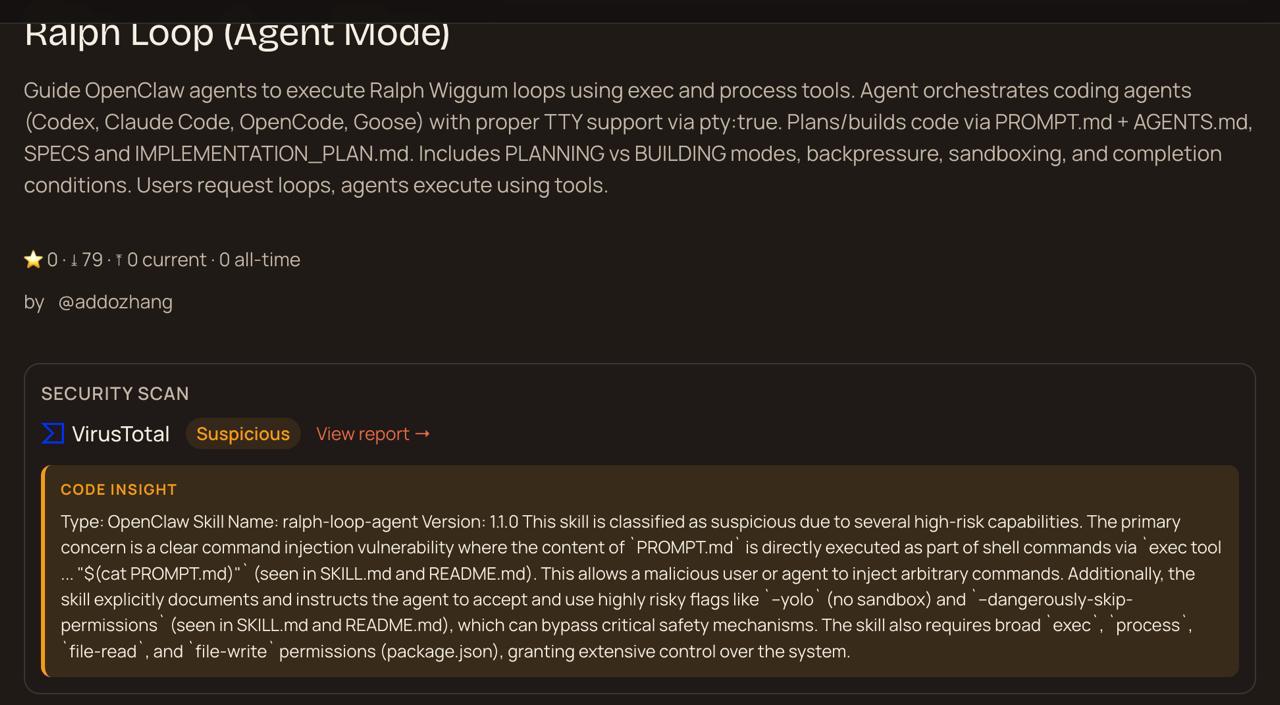
The Code Insight analysis found command injection vulnerabilities, risky flags like --yolo and --dangerously-skip-permissions, and broad exec/process/file permissions. That’s VirusTotal’s AI actually reading the skill code and explaining the risk. Not just hash matching - real behavioral analysis at the marketplace level.
That last line is the key: one layer.
Because 341 malicious skills were found on ClawdHub this week. Infostealers. Credential exfiltration. Reverse shells. The VirusTotal integration catches known malware and suspicious behavioral patterns, but even OpenClaw’s own announcement says it plainly: “this is not a silver bullet.”
So where does the next layer come from? You.
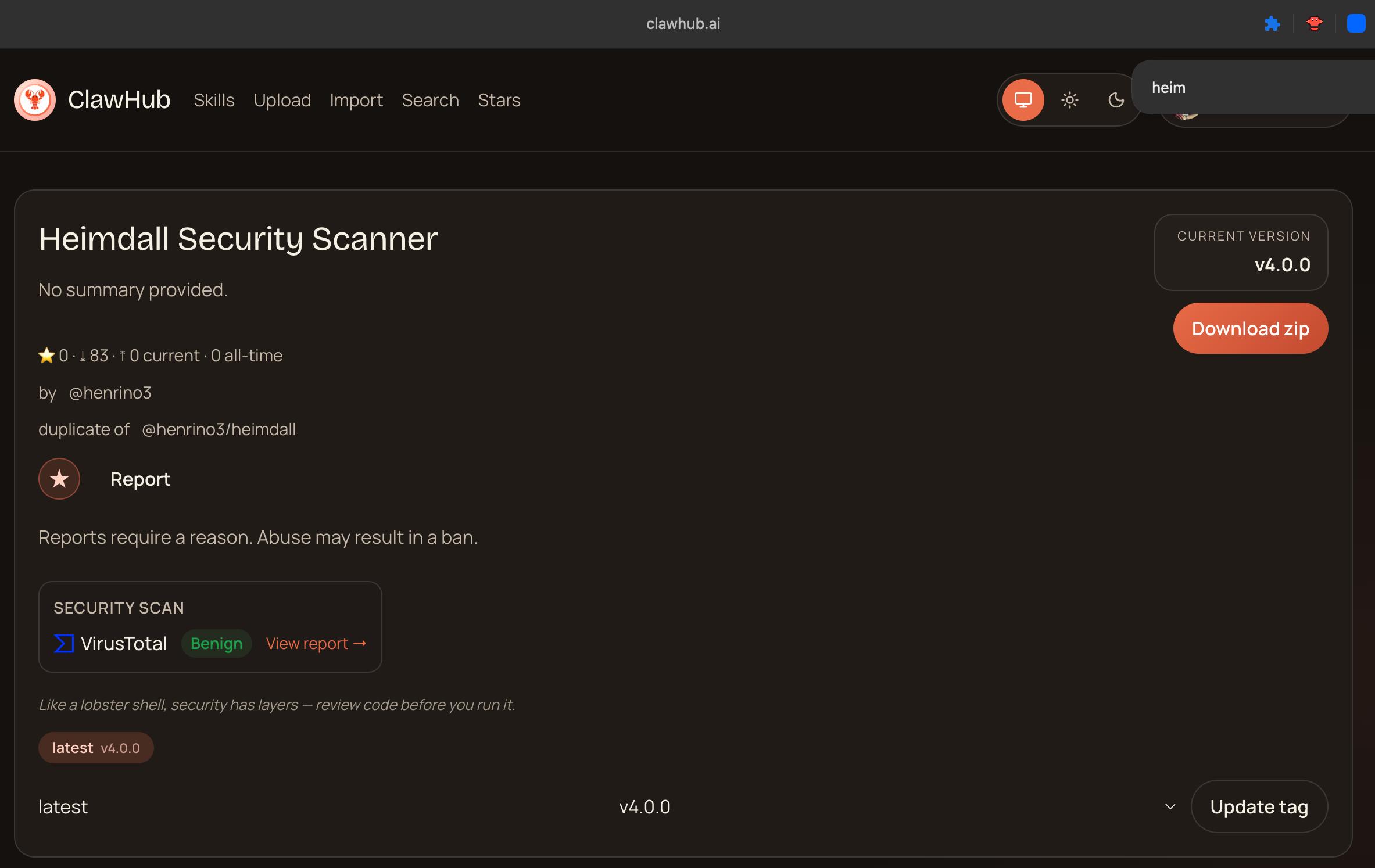
I Built My Own Scanner
After reading Simon Willison’s security analysis of how skills can be weaponized, I vibed my own scanner. Called it Heimdall - the Norse watchman who guards the bridge to Asgard and can supposedly hear grass growing. Felt appropriate for something watching your skill installations.
It started small. A Python script, a dozen regex patterns. But every time a new attack vector surfaced - MCP tool abuse, heartbeat injection, unicode tag hiding, supply chain tricks - I added patterns.
Today Heimdall has 92 detection patterns across 19 threat categories. Plus an AI analysis mode that explains findings in plain English instead of just dumping regex matches at you.
The Comparison
I pulled the OpenClaw scanner source code, put both codebases side by side, and asked two different AI models (Codex 5.3 and Opus 4.6) to do independent reviews across eight dimensions. Neither saw the other’s output.
Both reached the same conclusion: Heimdall is significantly more comprehensive for security detection.
| Dimension | OpenClaw Native Scanner | Heimdall |
|---|---|---|
| Detection patterns | 8 (4 line + 4 source rules) | 92 patterns |
| Threat categories | 7 rule IDs | 19 explicit categories |
| File types scanned | 8 (JS/TS focused) | 11 (+ Python, shell, YAML, JSON, markdown) |
| Context-aware FP handling | Basic co-occurrence checks | Full pipeline (~85% false positive reduction) |
| AI narrative analysis | No | Yes (--analyze flag) |
| Strict/paranoid mode | No | Yes (--strict flag) |
| Severity levels | 2 (critical, warn) | 3 (CRITICAL, HIGH, MEDIUM) |
Credit where it’s due: the native scanner is well-engineered. Clean TypeScript module, typed API, designed for embedding. And the VirusTotal integration adds a layer Heimdall can’t replicate - checking files against known malware signatures at the marketplace level.
But 8 patterns vs 92 is a real gap. And the stuff in that gap is not obscure.
What Falls Through the Cracks
Threat categories Heimdall detects that the native scanner currently doesn’t:
Heartbeat injection - Skills that modify your agent’s HEARTBEAT.md to inject persistent instructions surviving across sessions. Your agent keeps executing attacker commands every heartbeat cycle, indefinitely.
MCP tool abuse - Patterns like no_human_approval and auto_approve that let skills bypass your consent entirely.
Unicode tag injection - Hidden characters in the U+E0001-U+E007F range. Invisible in any text editor. Parsed by LLMs as instructions.
Supply chain attacks - Skills that git clone or run npm install / pip install during execution. You’re installing whatever dependencies they decide to pull.
Telemetry beacons - OpenTelemetry integrations that phone home with your agent’s activity.
Crypto wallet extraction - BTC/ETH address harvesting and seed phrase detection.
Every single one of these has been observed in the wild or demonstrated by security researchers.
False Positives
A scanner that cries wolf on every README is worse than no scanner at all. Heimdall uses context-aware severity adjustment: actual scripts get full severity, config files get reduced, and docs/READMEs get reduced by 3 levels. It also auto-detects security tools and suppresses findings from their pattern lists.
This cuts false positives by roughly 85%. Use --show-suppressed to see everything, or --strict to disable context awareness entirely.
The AI Layer
The --analyze flag sends scan findings to an LLM and generates a narrative report. Instead of cryptic regex matches, you get:
This skill downloads and executes code from an external server during installation, clones a repository that could change at any time, and sends telemetry about your agent’s behavior to a third-party service.
Recommendation: Don’t install on any machine with real credentials.
Most people installing skills aren’t security researchers. They need to understand what a finding means, not just that a finding exists.
Install Both
OpenClaw’s security story is strong and getting stronger. The VirusTotal partnership, Code Insight, daily re-scans, a security advisor on board. That’s your first line of defense, already live.
Heimdall is your second line:
- Defense in depth. VirusTotal catches known malware at the marketplace level. Heimdall catches 92 patterns locally, including categories marketplace scanning doesn’t focus on (heartbeat injection, MCP abuse, unicode tricks).
- It’s open source, and it’s yours. MIT licensed. Fork it. Add your own patterns. Match YOUR threat model, don’t wait for someone else.
- Run it on everything. VirusTotal only covers ClawdHub. Skills come from GitHub, Discord, Twitter. Heimdall scans anything on your local machine.
- The AI analysis helps. When a skill has 14 findings across 6 categories, the narrative tells you what it’s actually doing, in English.
Get Started
# Install from ClawdHub
clawdhub install heimdall

# Or from GitHub
git clone https://github.com/henrino3/heimdall.git
cd heimdall && chmod +x scripts/skill-scan.py
ln -s $(pwd)/scripts/skill-scan.py ~/.local/bin/skill-scan

# Scan before installing any skill
skill-scan /path/to/skill

# Full AI analysis
skill-scan --analyze /path/to/skill

# Audit everything already installed
for skill in ~/clawd/skills/*/; do
  skill-scan "$skill"
done
The full comparison with both models’ independent reports: → Full Scanner Comparison: Opus 4.6 + Codex 5.3 independent reviews
341 malicious skills this week. Infostealers. Reverse shells. Credential theft.
Install Heimdall. Scan everything. Trust nothing.
Links: